Get the photos you’re each missing.
Compare camera rolls with a friend nearby. See which photos each of you is missing, and send only the ones you choose. Directly, iPhone to iPhone.
- No accounts
- No servers
- No cloud
iPhone · iOS 18 or later

How it works
Two iPhones, one room.
After a trip, a wedding, or a weekend away, the two of you each hold half the pictures. RollTogether works out exactly which photos the other one lacks, and lets each of you hand over what you want to share. Nobody uploads anything. Nobody browses anyone’s library.
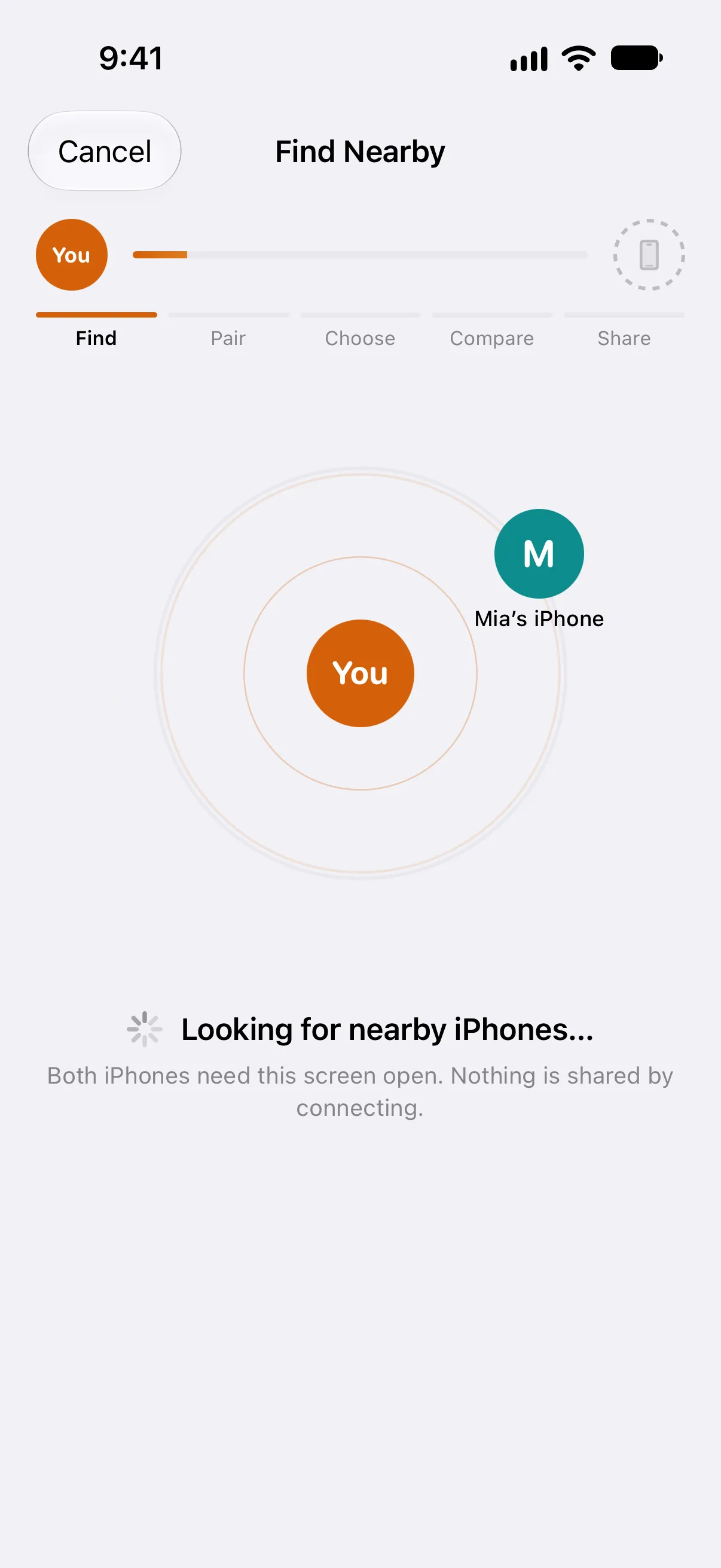
- Find
No accounts. No servers. No cloud.
Two iPhones in the same room find each other. Nothing is shared by connecting.
- Pair
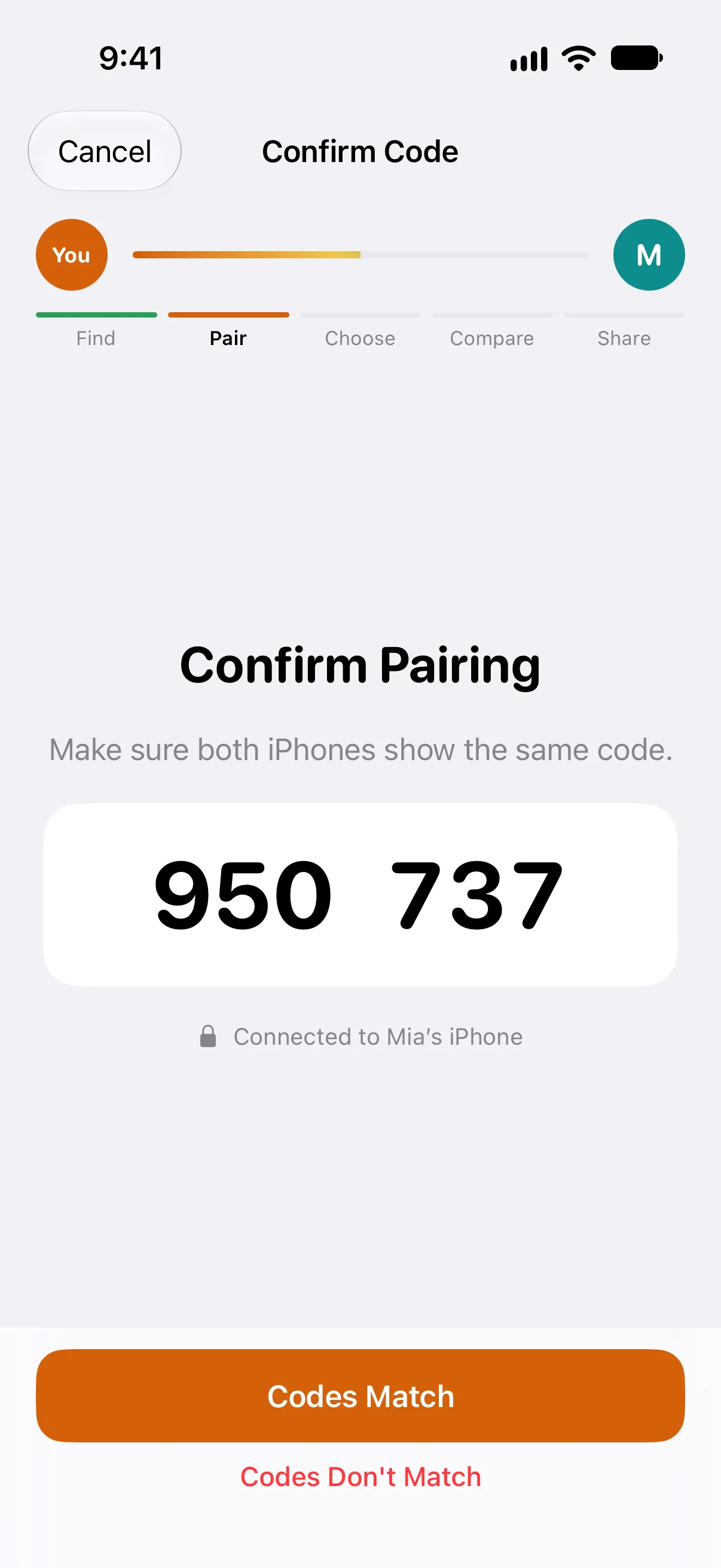
Confirm one code, and you’re paired.
Both iPhones show the same six digits. From then on the two compare blinded fingerprints. Never photos. Next time, the two reconnect from Recent without a code.
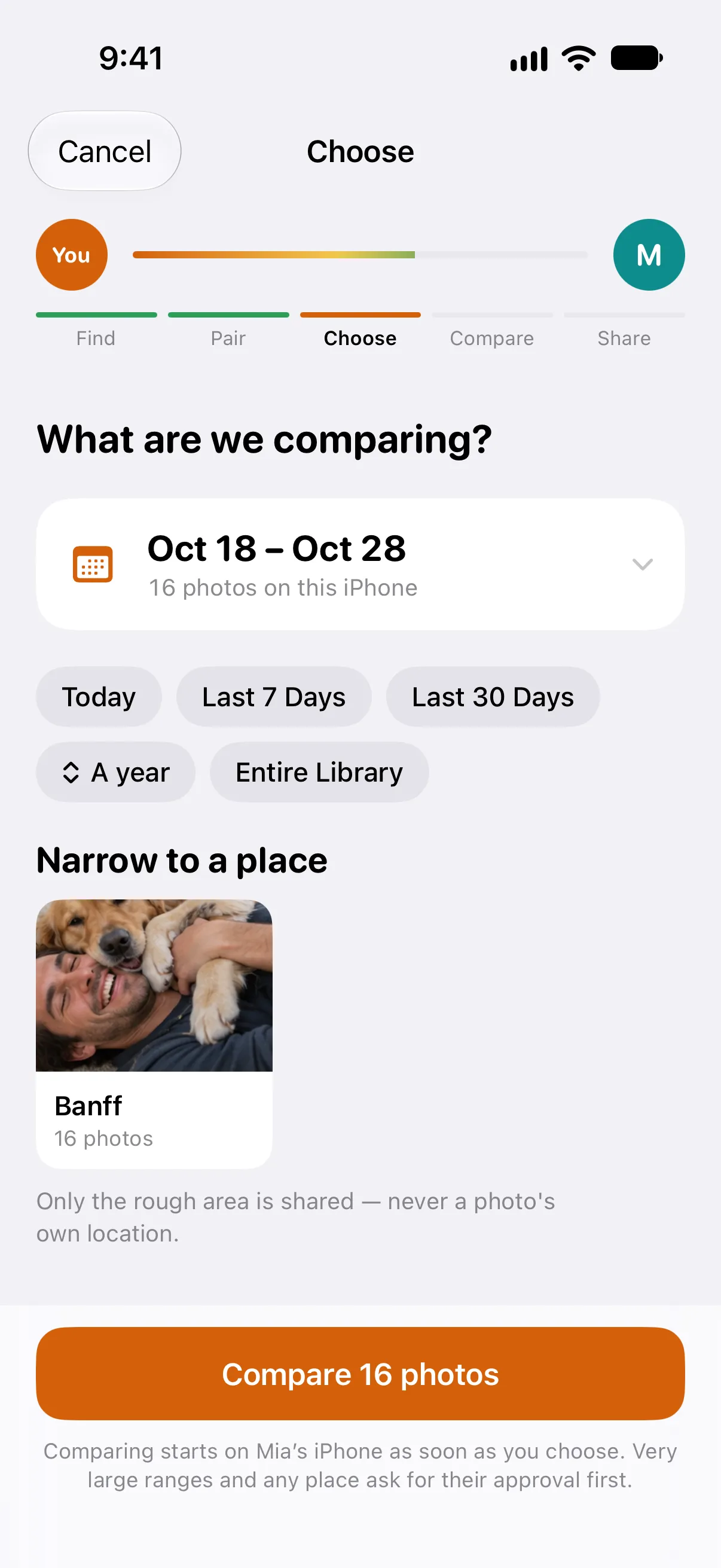
- Choose
Pick the trip, a year, or a place.
A date range, a preset, or somewhere you both went. Compare says how many photos it covers before you start.
- Compare
Nobody browses anyone’s library.
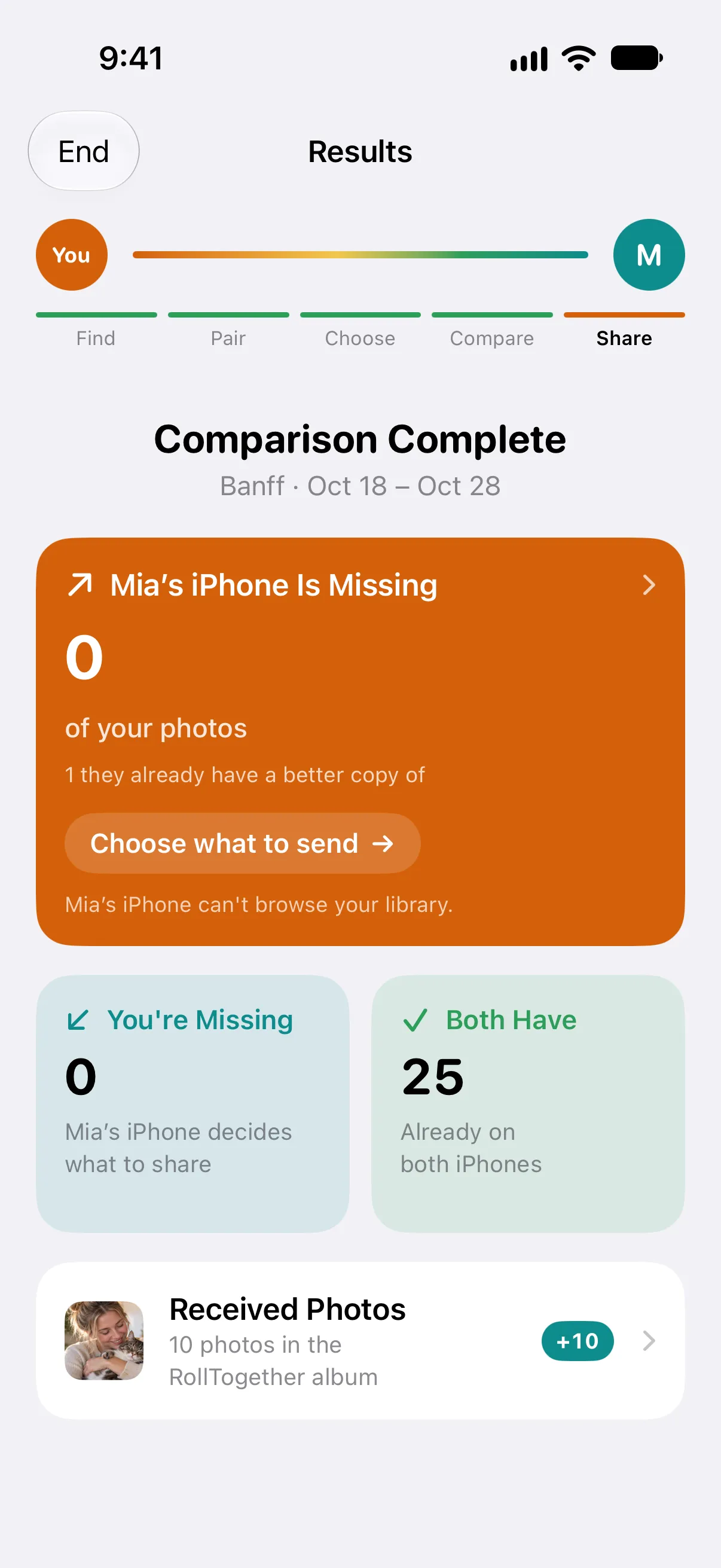
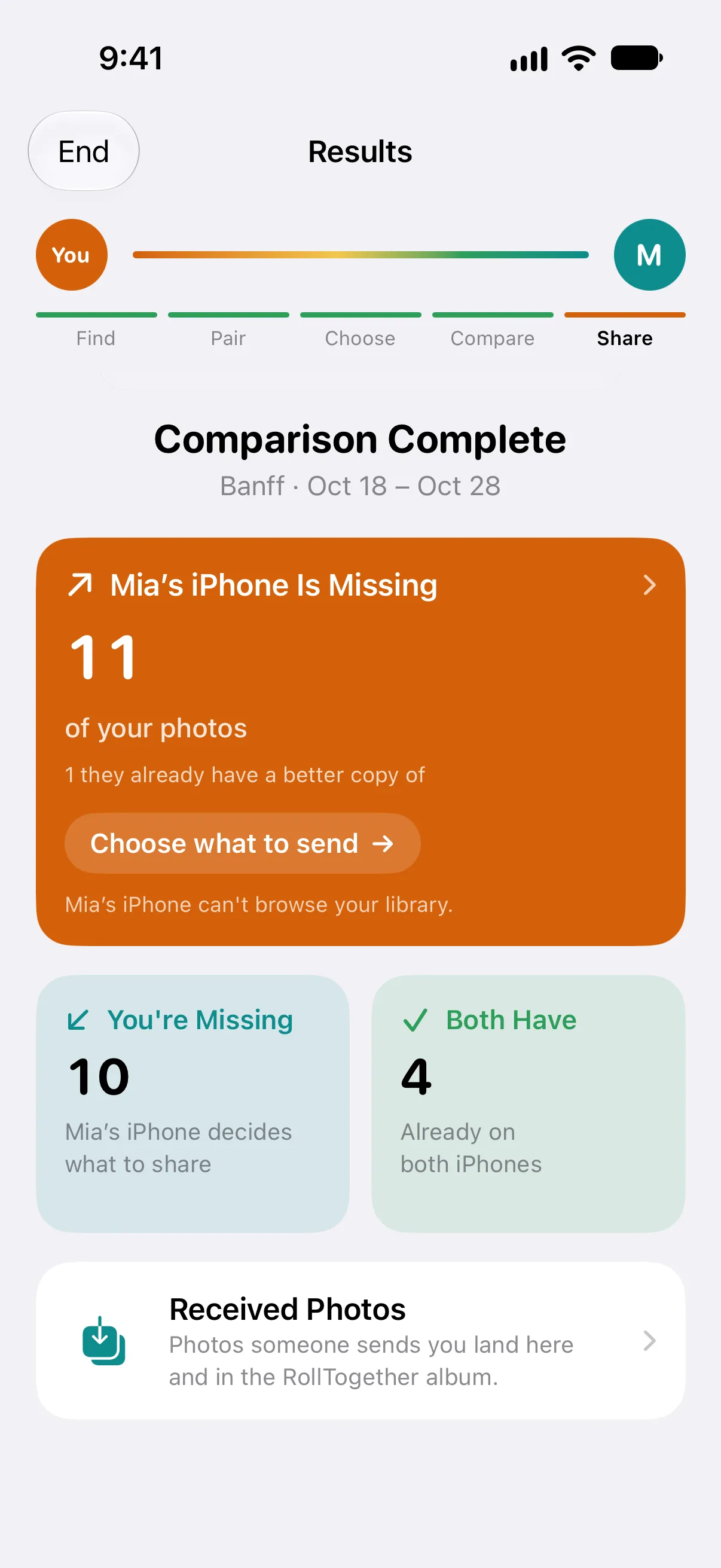
What you’re missing is just a number. What they’re missing are your photos, shown only to you.
- Share
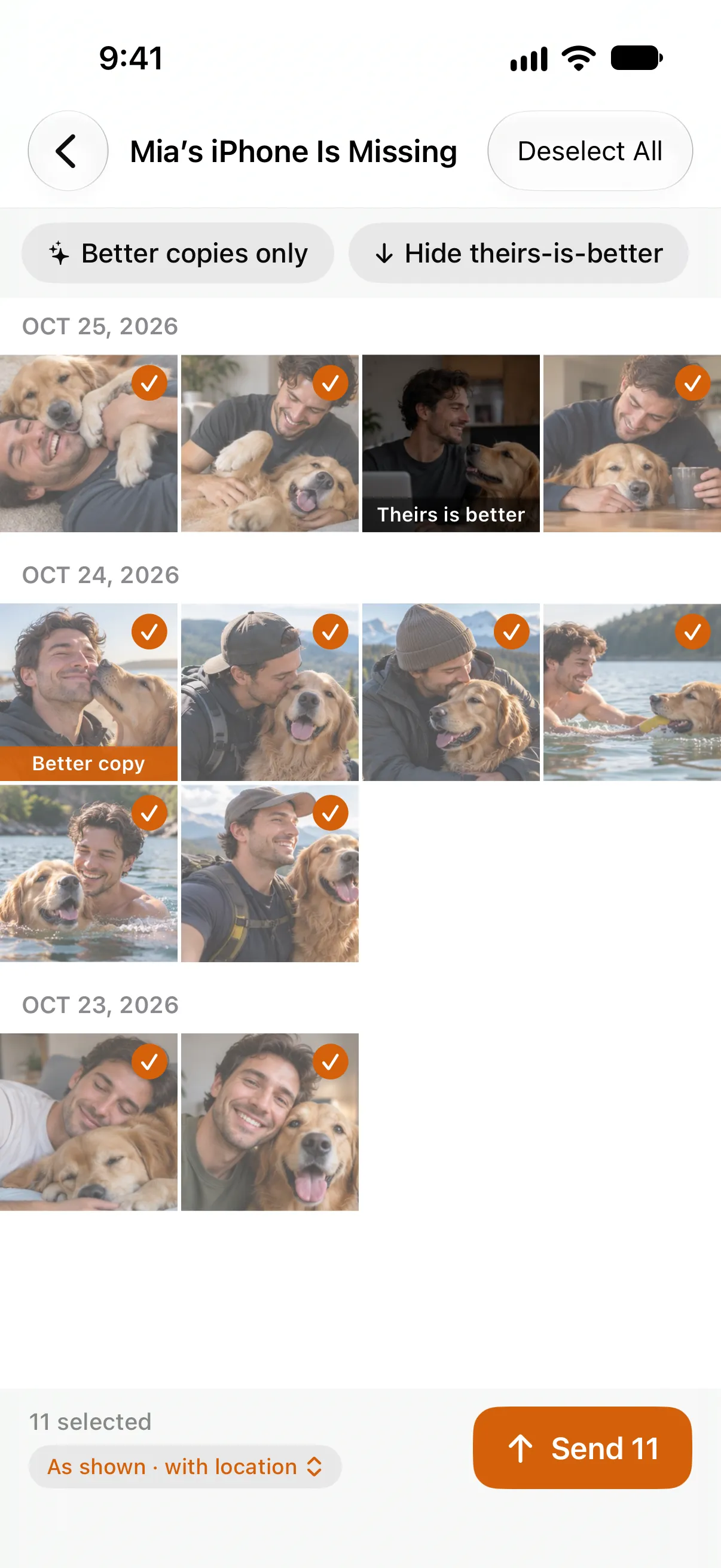
Choose what to send.
A gallery of your photos they don’t have. Ribbons flag when their copy is already better. Select, confirm, and they accept before a byte moves.
- Receive
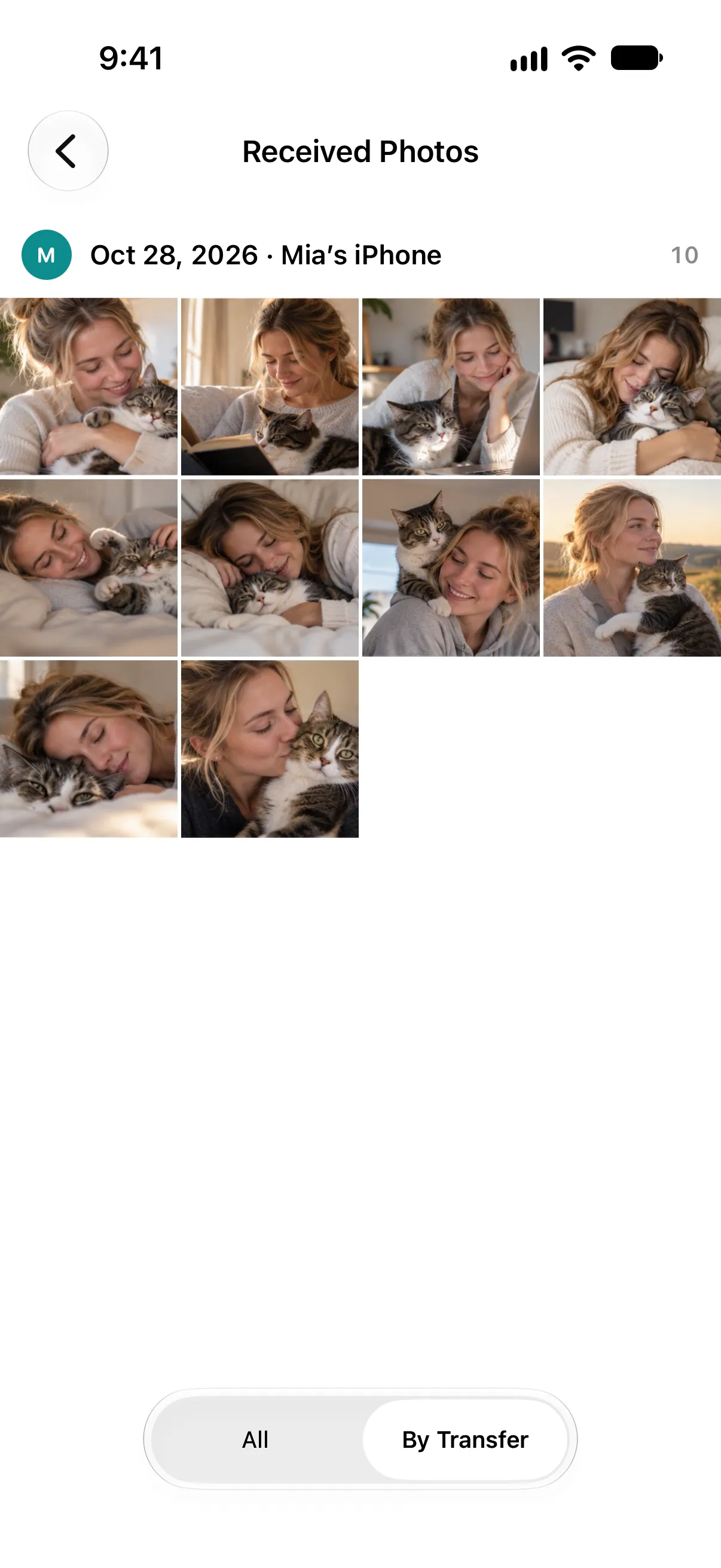
They land in Photos.
Into your library and a RollTogether album, grouped by transfer and headed by who sent them.





Private by design
Your photos never leave your iPhone unless you select and send them.
- Comparing runs on blinded fingerprints.
During a comparison the phones work from counts and fingerprints blinded with a key that exists for that session alone. No thumbnails, no filenames, no dates, and never a photo’s own location. The privacy policy lists everything else that crosses, including an encrypted random ID so the other iPhone remembers the pairing and, if you compare a place, the rough area.
- Nobody can browse the other library.
The app has no way to show you a photo you don’t already own. What you’re missing is a number.
- Sharing is always the sender’s choice.
Select, confirm, and the other person accepts before a single byte moves.
- End-to-end encrypted.
Transfers are encrypted between the two iPhones. The code you both confirm rules out anyone in the middle.
- No internet connection needed.
The app has no server and no analytics, and collects nothing. Comparing and transferring work with no network at all.
- Limited Photos access works.
Only the photos you allow are compared.
The whole of it, in plain words: the privacy policy.
Better copies
The same picture, even when the file differs.
A photo that came back through a messaging app, a downscaled export, or a format conversion is the same picture with different bytes. RollTogether recognizes it, flags which of your photos are a better copy than the one they have, and sets aside your worse copies so you don’t offer someone a crushed version of what they already own.
Either person can switch this off, and one “no” switches it off for both. Even here, nothing visual crosses: only blinded slices of a descriptor, meaningless once the session ends.
More
The details that come up on the second trip.
- Photos, videos, Live Photos.
All three are compared and transferred. Live Photos arrive as Live Photos.
- Edits travel.
Edited photos arrive looking edited. Send All Photos Data to include the original and its edits, re-editable on the other side.
- Location is yours to keep.
Switch off Include Location to strip GPS and place names from everything you send.
- Compare one place.
The app clusters your photos into the spots you were, and both iPhones compare the same area. Only the rough area is shared, never a photo’s own location.
- iCloud-only photos wait, not block.
Photos stored only in iCloud are set aside rather than blocking. One tap downloads and includes them.
- Interrupted? Compare again.
Photos already transferred match and drop out of the missing set.
- Grouped by who sent them.
Received photos are grouped by transfer and headed by the sender.
- Both ways at once.
Both people can send at the same time, and both keep browsing while photos move.
Good to know
RollTogether needs two iPhones running iOS 18 or later, in the same room, with the app open on both. It uses Wi-Fi and Bluetooth to find and connect to the other iPhone, and asks for Local Network permission to do so. Only your own library is compared, and photos you receive are saved into it.
Something not working? Support walks through the common cases.
Compare privately.Choose locally.Share intentionally.
Both camera rolls, complete.